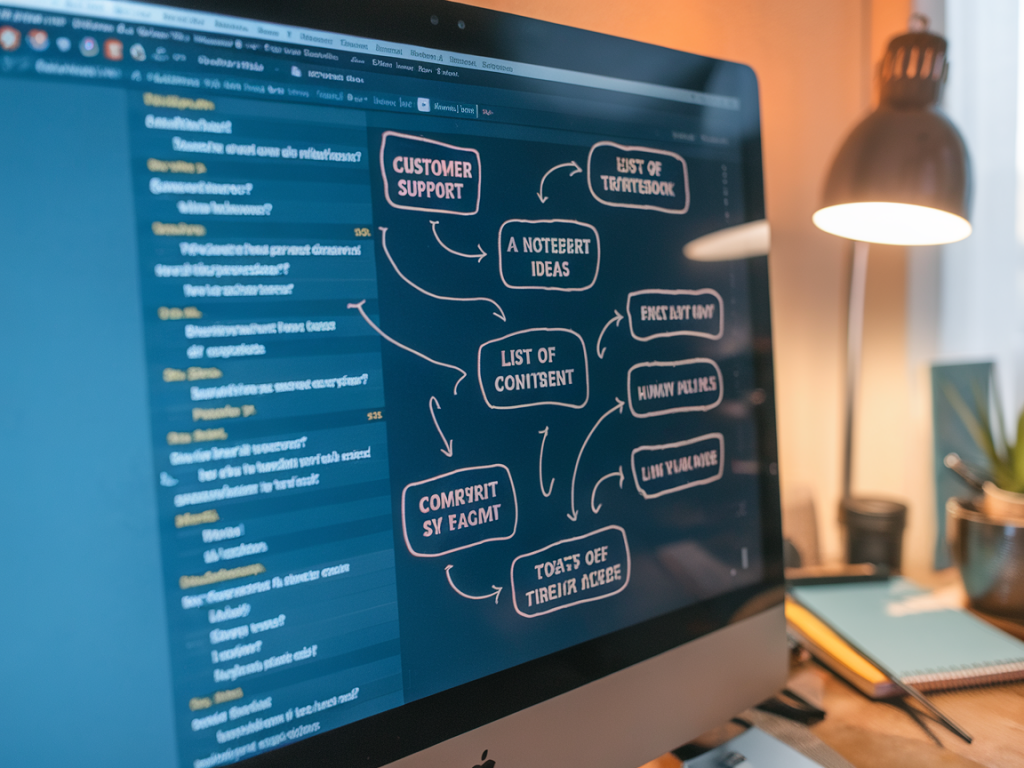
How to turn customer support transcripts into measurable content ideas using simple nlp workflows

How to turn customer support transcripts into measurable content ideas using simple nlp workflows

I’ve spent years nudging teams away from reactive content creation and toward using the richest source of customer truth most companies already have: support transcripts. If you’re running a help desk — whether that’s Zendesk, Intercom, Freshdesk, or a custom chat queue — those conversations are full of repeat questions, feature gaps and phrasing that tells you how customers think. Turned into a simple NLP workflow, they become a measurable idea pipeline for product content, search-focused articles, onboarding flows and even product roadmap signals.

Why support transcripts beat other idea sources

Marketing teams rely on keyword tools, competitive research and social listening. Those are useful, but support transcripts are different. They contain:

  • Real user language — the exact phrases customers use to describe problems.
  • Priority signals — frequency, frustration and escalation patterns show what really hurts.
  • Context — product details, account types, and sequences of questions reveal use cases we might not surface in analytics.
  • So the question I ask is simple: how do we turn hundreds or thousands of chat and ticket logs into measurable content ideas that we can test and track? Below is a pragmatic, low-friction NLP workflow I’ve implemented with teams of different sizes.

    Workflow overview — from raw transcript to measurable content

    The workflow has five stages. I keep it intentionally simple so it fits inside a sprint or a monthly content planning cycle:

  • Collect & anonymize
  • Preprocess & normalize
  • Extract intents, topics & sentiment
  • Cluster & prioritise
  • Map to content and define KPIs
  • Collect and anonymize

    Export your chat/ticket history. Most platforms let you pull CSV or JSON exports. If you’re using Zendesk or Intercom, you can automate this with their APIs. Two non-negotiables here:

  • Anonymize PII — remove names, emails, account IDs. I usually run a simple regex pass and manual spot checks.
  • Keep metadata — channel (chat/email/phone), tags, ticket outcome (resolved/escalated), product version, customer segment. These fields are gold for later filtering.
  • Preprocess and normalize

    Raw conversation text is messy. Minimal preprocessing makes NLP much more accurate. My go-to steps:

  • Lowercase and remove stopwords (with care — keep negations like “not” or “no”).
  • Expand common contractions and normalise units and date formats.
  • Remove boilerplate (we had an automated reply used in 20% of tickets — strip that out).
  • Optionally, run a light spelling correction tuned for your product vocabulary.
  • I usually use Python + spaCy or Hugging Face tokenizers for this stage. If you don’t want code, some no-code platforms (e.g., MonkeyLearn, AssemblyAI) handle these steps with simple pipelines.

    Extract intents, topics and sentiment

    This is where the magic happens. I combine a few lightweight NLP techniques so results are interpretable and actionable:

  • Intent classification — Train or fine-tune a simple classifier to detect high-level intents like “billing issue”, “feature request”, “setup help”, “bug report”, “account cancellation”. Even a few hundred labelled examples will get you useful accuracy with models like DistilBERT or an XGBoost on bag-of-words features.
  • Topic modeling / keyphrase extraction — Use RAKE, YAKE or a small bit of LDA/BERTopic to pull recurring phrases: “email integration”, “two-factor”, “invoice missing”.
  • Sentiment and intensity — Not just positive/negative, but a simple escalation score: neutral → frustrated → angry → escalated. This predicts which topics are urgent.
  • For many teams I’ve worked with, combining a pretrained model (OpenAI/GPT embeddings or Hugging Face sentence-transformers) plus a cheap clustering algorithm (KMeans or HDBSCAN) gives excellent topic groups with minimal labeling.

    Cluster, enrich and prioritise

    Once you have intents and topics, cluster transcripts into coherent groups and enrich them by metadata.

  • Filter by channel and customer segment — are enterprise customers hitting a particular topic more?
  • Score clusters on three axes: frequency, frustration (sentiment), and revenue exposure (e.g., number of affected accounts or ARR).
  • Prioritise clusters with high frequency and high frustration; these are low-hanging fruit for content that reduces tickets and improves retention.
  • In practice I use a simple prioritisation formula: Priority = Frequency_rank + 2*Frustration_rank + Revenue_rank. Weight frustration higher because reducing costly escalations is often the best ROI.

    Map clusters to content with measurable KPIs

    Not every insight should become a blog post. Match the cluster to the right content format and define a metric to measure impact.

  • High-frequency, low-frustration — FAQ / short help articles / knowledge base pages. KPI: reduction in ticket volume for that intent (tickets/month).
  • High-frustration, medium-frequency — step-by-step tutorials, video walk-throughs, interactive product tours. KPI: time-to-resolution and CSAT for tickets in that category.
  • High-revenue exposure — onboarding flows, in-app messaging, and targeted emails to affected accounts. KPI: churn rate or ARR retention for segmented cohort.
  • Feature requests or product confusion — product docs + internal feature request tickets for roadmap. KPI: number of support escalations after a release or adoption metric if a change is shipped.
  • Example mapping table

    ClusterSuggested ContentPrimary KPIImplementation Effort
    “Email not syncing” KB article + 90s video Tickets/month for “email” intent Low
    “Billing charge confusion” Billing FAQ + UI tooltip CSAT and billing dispute rate Medium
    “Setup for enterprise SSO” Detailed guide + template support script Time-to-onboard and enterprise churn High

    Make it measurable — sample tracking plan

    Define dashboards before you publish content. Track both content-specific and downstream support metrics:

  • Primary metric — ticket volume for the target intent (pre/post 30/60/90 days).
  • Secondary metrics — hit rate on KB article (views, time on page), click-throughs from in-app messages, CSAT for related tickets.
  • Downstream metrics — churn, ARR retention, and number of escalations.
  • I like to set an initial hypothesis for each content piece, for example: “Publishing a 2-minute explainer will reduce 'email not syncing' tickets by 25% in 60 days.” Then we measure and iterate.

    Practical tips and tooling

    Some practical choices that make this easier in real teams:

  • Use embeddings (OpenAI or sentence-transformers) + clustering to surface groups without heavy labeling.
  • Label incrementally — start with a small seed of labelled tickets and expand with active learning.
  • Automate exports and run the pipeline weekly. Even a weekly snapshot gives trend signals.
  • Integrate KB analytics with support data — tools like Zendesk Explore or Google Analytics can be joined with ticket exports in Looker/BigQuery.
  • If you don’t want to build models, start with keyword rules and manual clustering for the first sprint. You’ll still uncover the big wins.
  • Real-world win

    At one startup I worked with, a single 5-minute video on a setup flow eliminated a recurring ticket cluster that accounted for 18% of inbound chats and had below-average CSAT. We created the asset, added an in-app CTA on the setup page and linked it from the KB. Within two months tickets for that intent dropped by 42% and NPS in onboarding rose by 6 points. The content paid for itself in saved support hours and happier customers.

    Turning transcripts into content ideas doesn’t require a datascience team. It requires a repeatable process, sensible NLP tools, and a focus on measurable outcomes. Once you start measuring the support impact of content, the investment in content planning becomes clearer: fewer repetitive tickets, faster onboarding, and content that actually reduces friction for real users.

    You should also check the following news:

    Creative Studio

    The exact workflow to test generative ai creative variations while keeping brand safety intact

    02/12/2025

    I run experiments with generative AI every week. The temptation to spin up dozens of creative variations overnight is real: new copy, new visuals,...

    Read more...
    The exact workflow to test generative ai creative variations while keeping brand safety intact